Bringing projects, knowledge, and AI into one workspace
Timeline
3 Months
Role
Product Designer
Team
Hannah, Suvina, Chaeri, Yujeong
Impact
AI templates rated 5/5 in testing
Context
The team didn't need another tool. They needed fewer places to look.
Motivated Mind Group was a fully remote creative agency managing work across project-management tools, chat, email, shared files, and a growing number of AI tools.
As the team grew, information became harder to find and project context was increasingly scattered.
We started with a simple question:
How could we make remote work feel less fragmented without adding another tool to manage?
Solution
0:00 / 0:00
The problem
We looked at how work actually moved across the team.
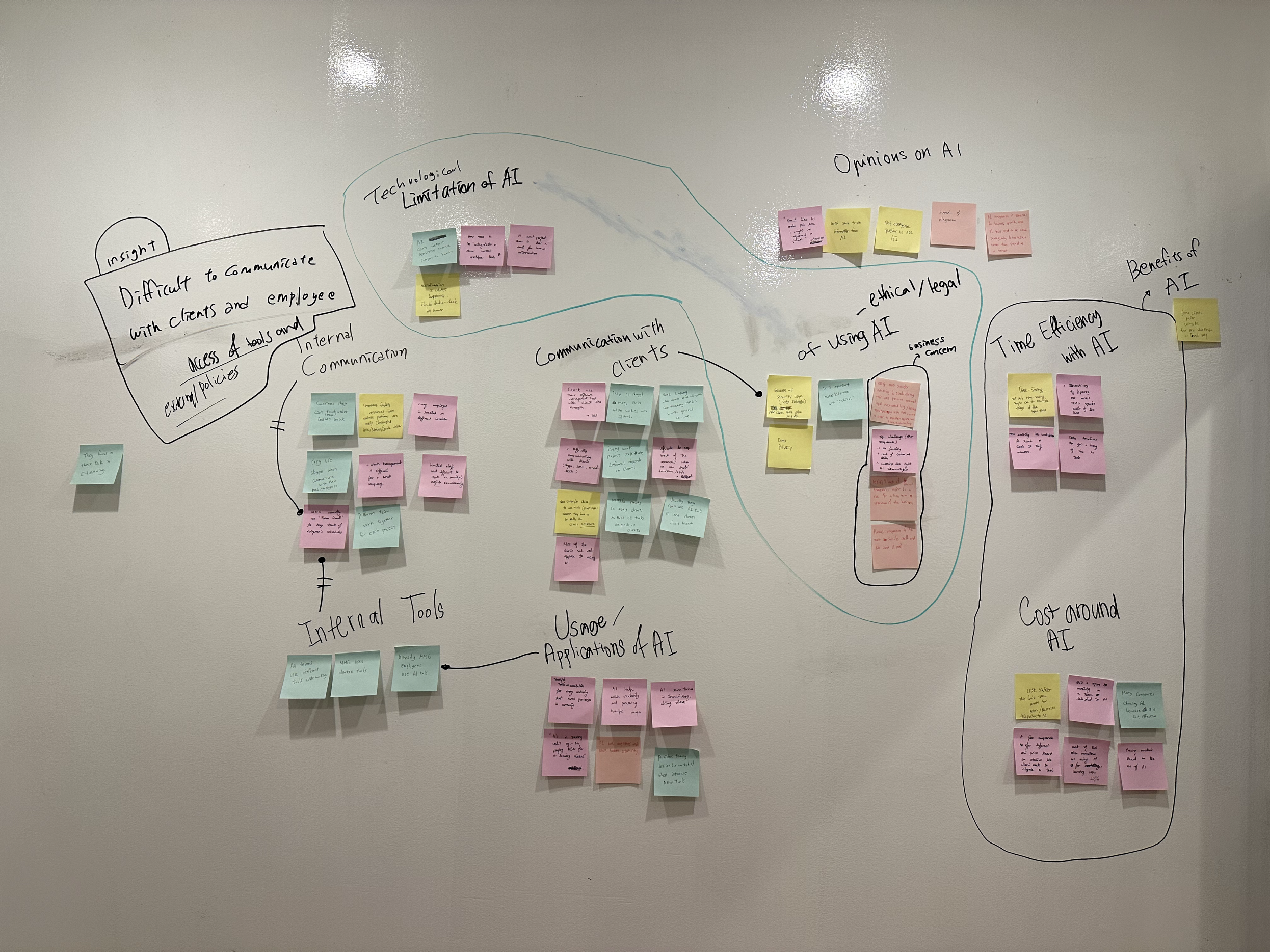
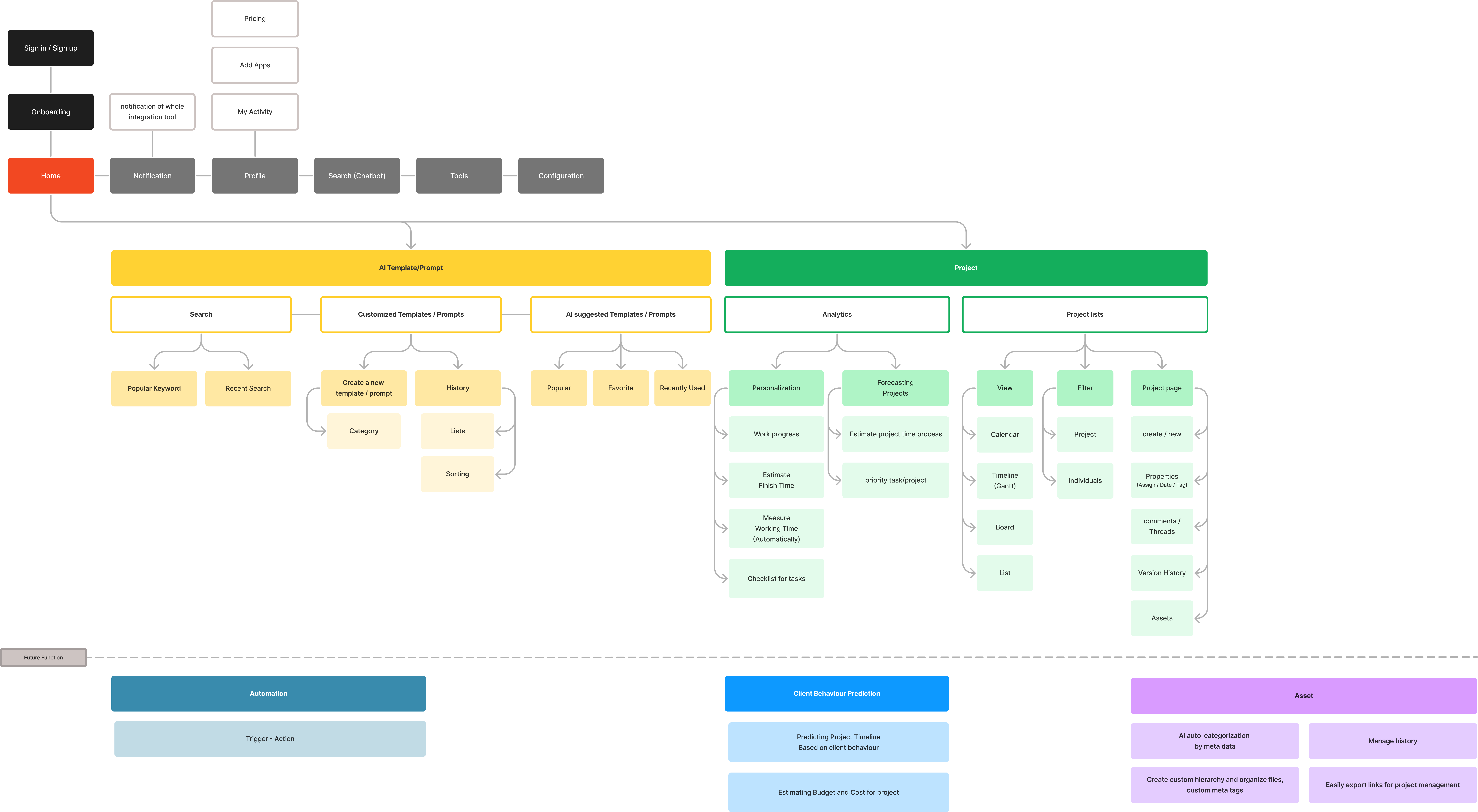
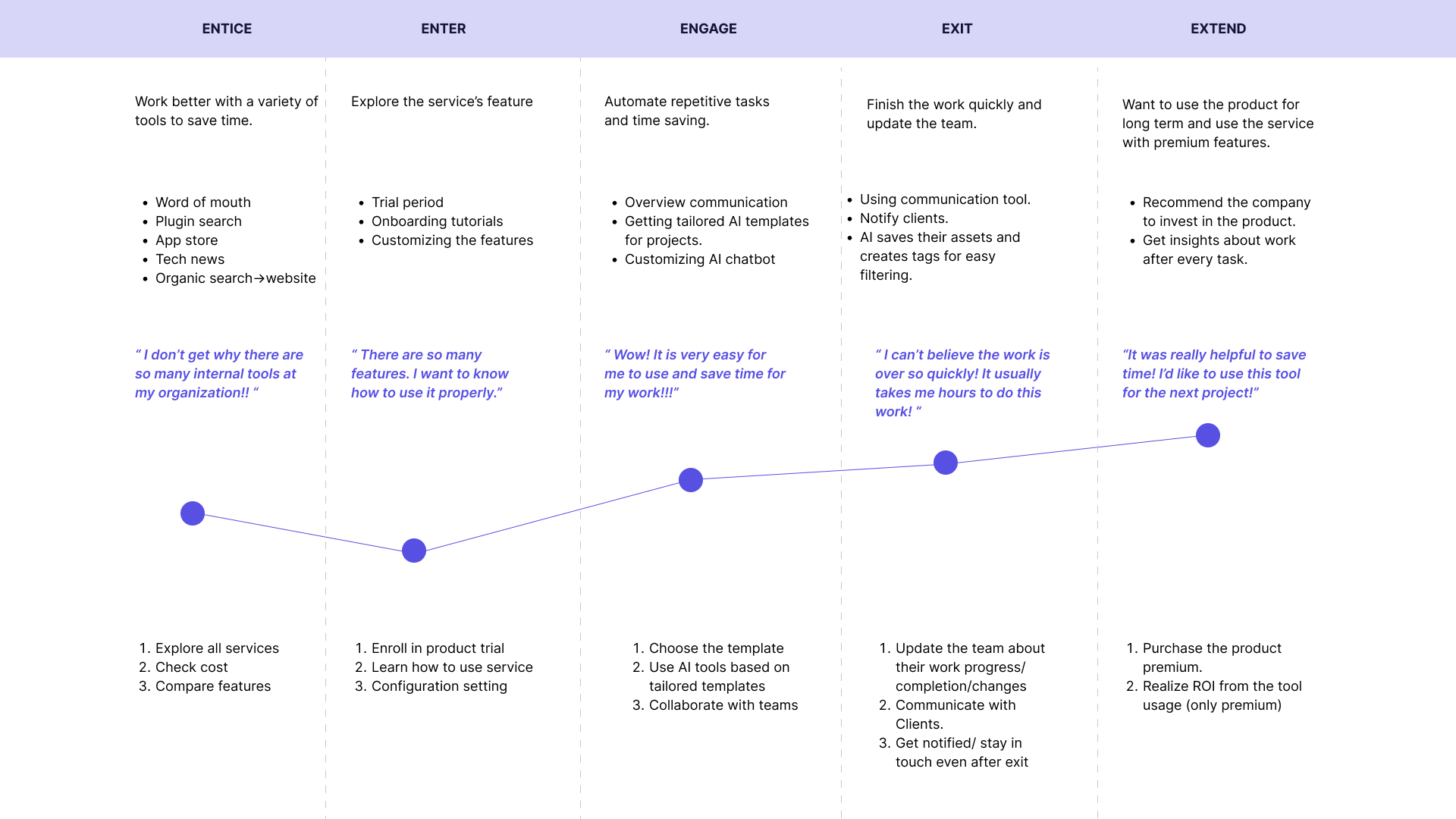
We interviewed 15 employees across creative, project-management, and leadership roles and mapped how projects moved between people and tools.
Three patterns stood out.
- 1. Project context was scattered.
- 2. Important information disappeared into communication tools.
- 3. AI was becoming another source of fragmentation.
“Everyone knows AI could help, but we’re stuck trying different tools without any real strategy.”
Creative Director, MMG
The opportunity
AI didn't need to become another destination.
Instead of adding an assistant beside the team's existing tools, we explored how AI could live inside the project itself, alongside the context people were already using.
ProjectsKnowledgeAIOne workspace
Solutions
Solutions
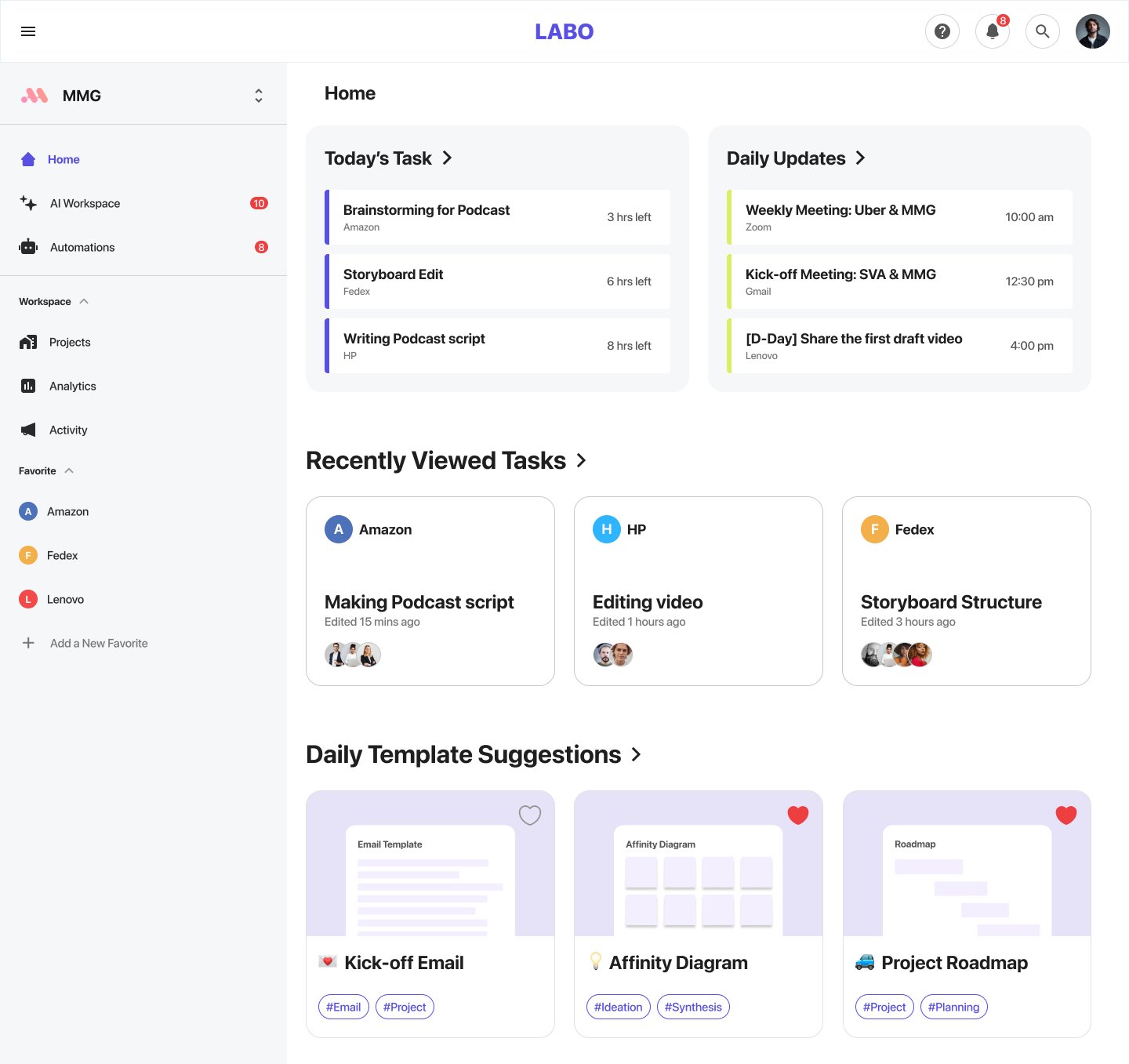
01. Home dashboard
Start with the work that needs attention.
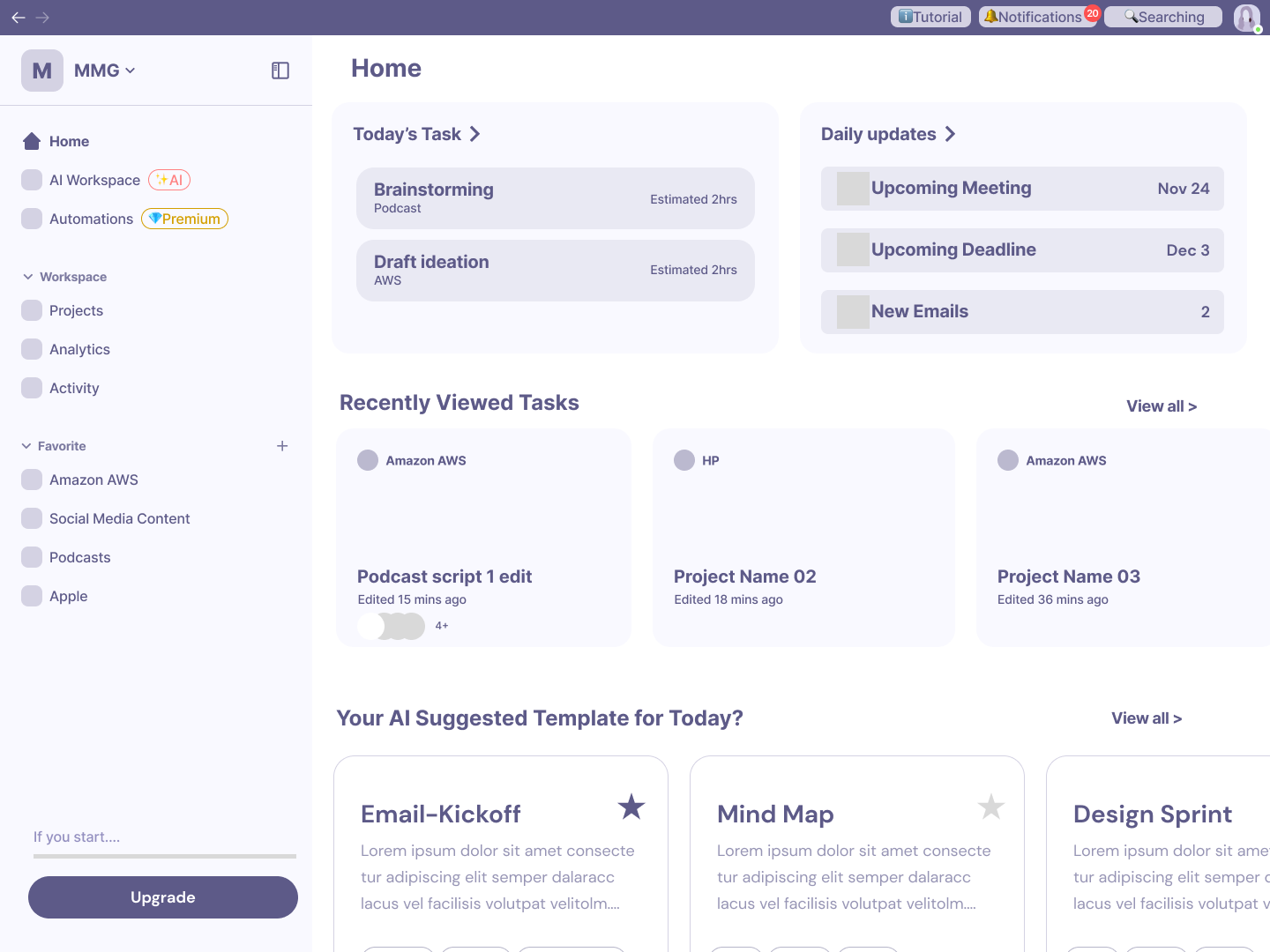
We designed the home dashboard around the questions people had when starting their day:
What do I need to do? What's changing? What needs my attention?
Tasks, active projects, deadlines, and recent work came together in one overview instead of being distributed across different tools.

Before

After
02. AI workspace
Keep project context with the project.
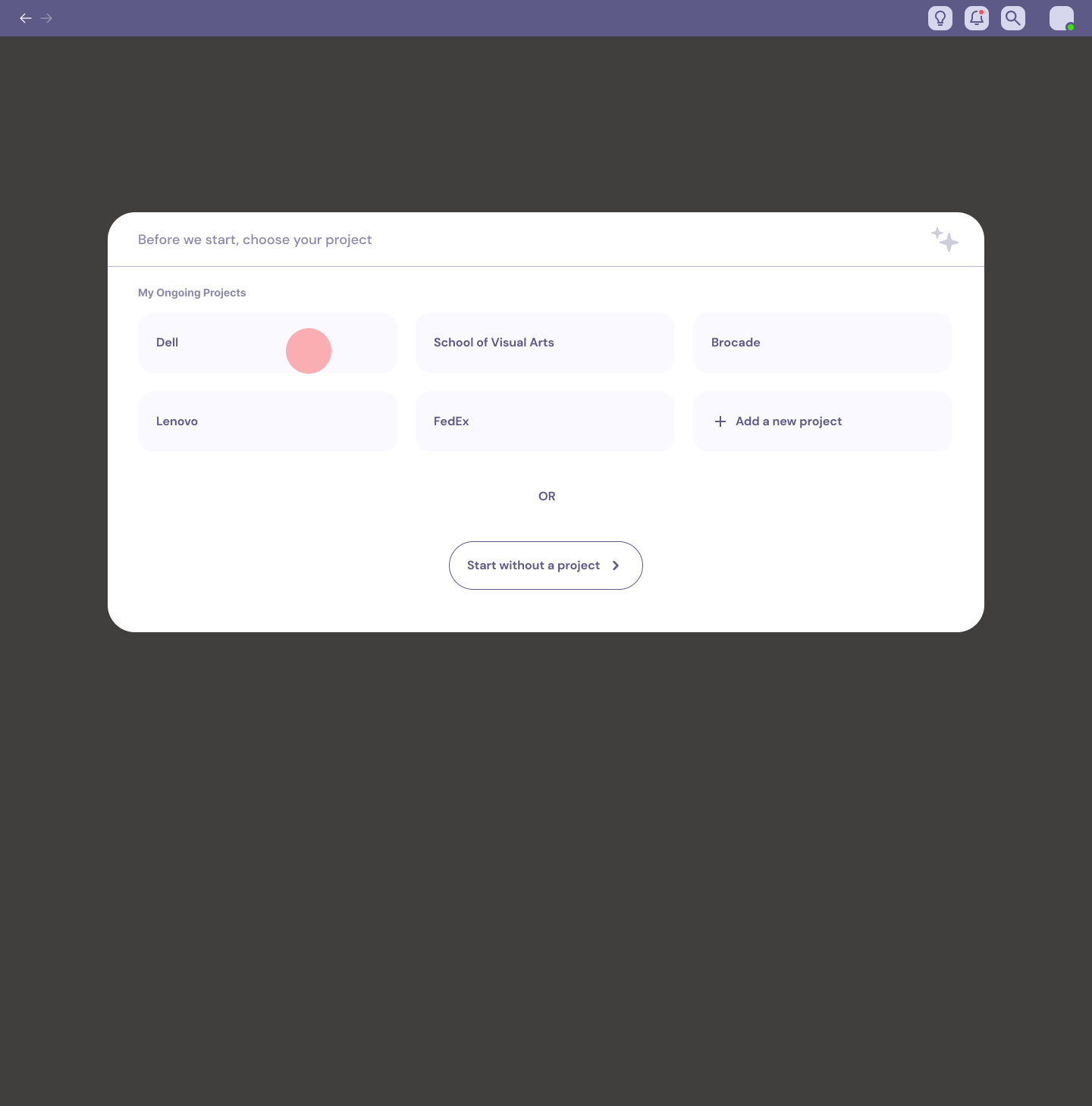
Each project became a shared workspace for tasks, files, links, progress, and the resources the team used to produce the work.
Instead of searching through chat history or folders to reconstruct what happened, team members could return to one place and understand the current state of the project.
FilesTasksLinksActivityAI Resources

Before

After
03. Project management
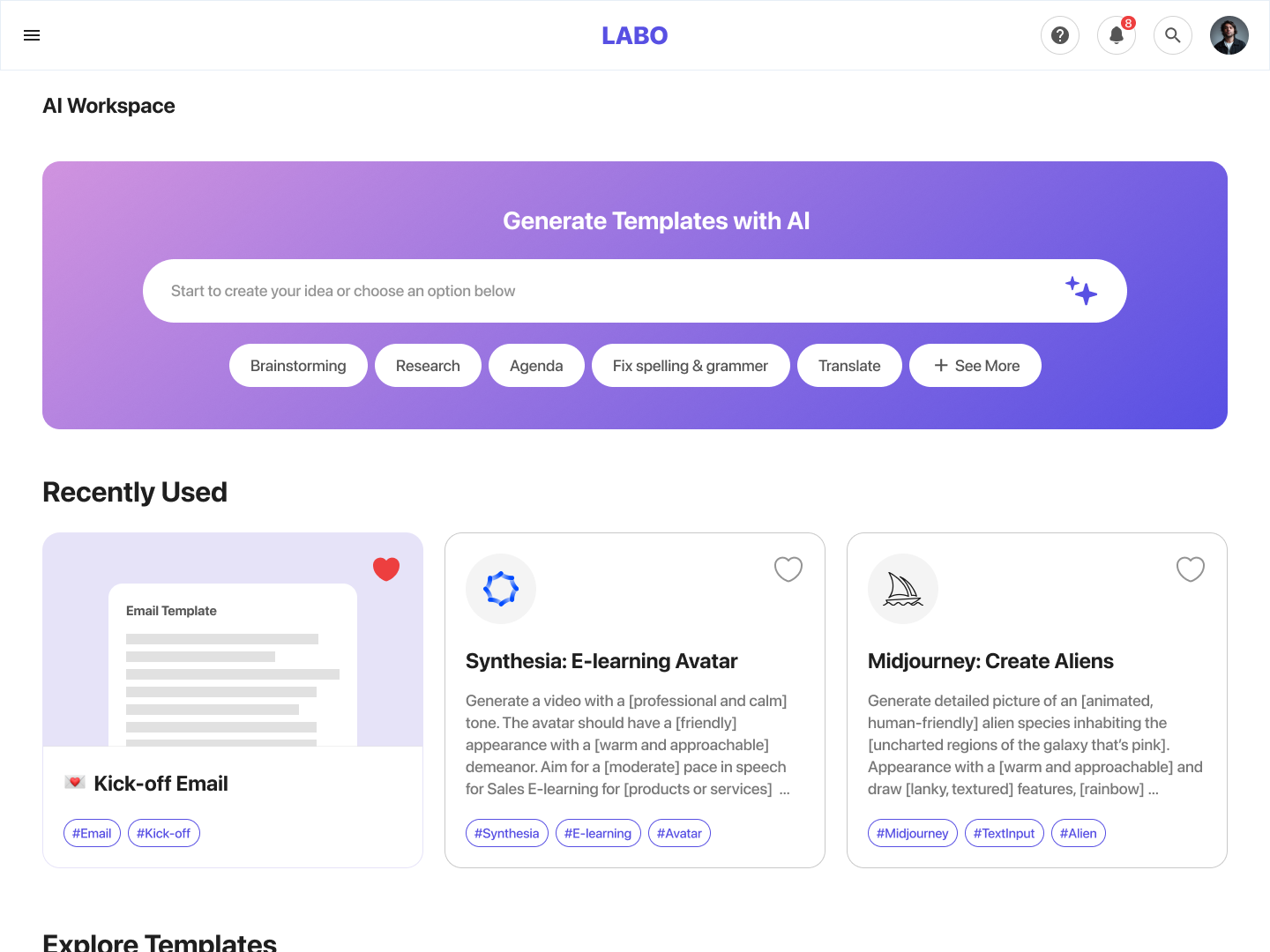
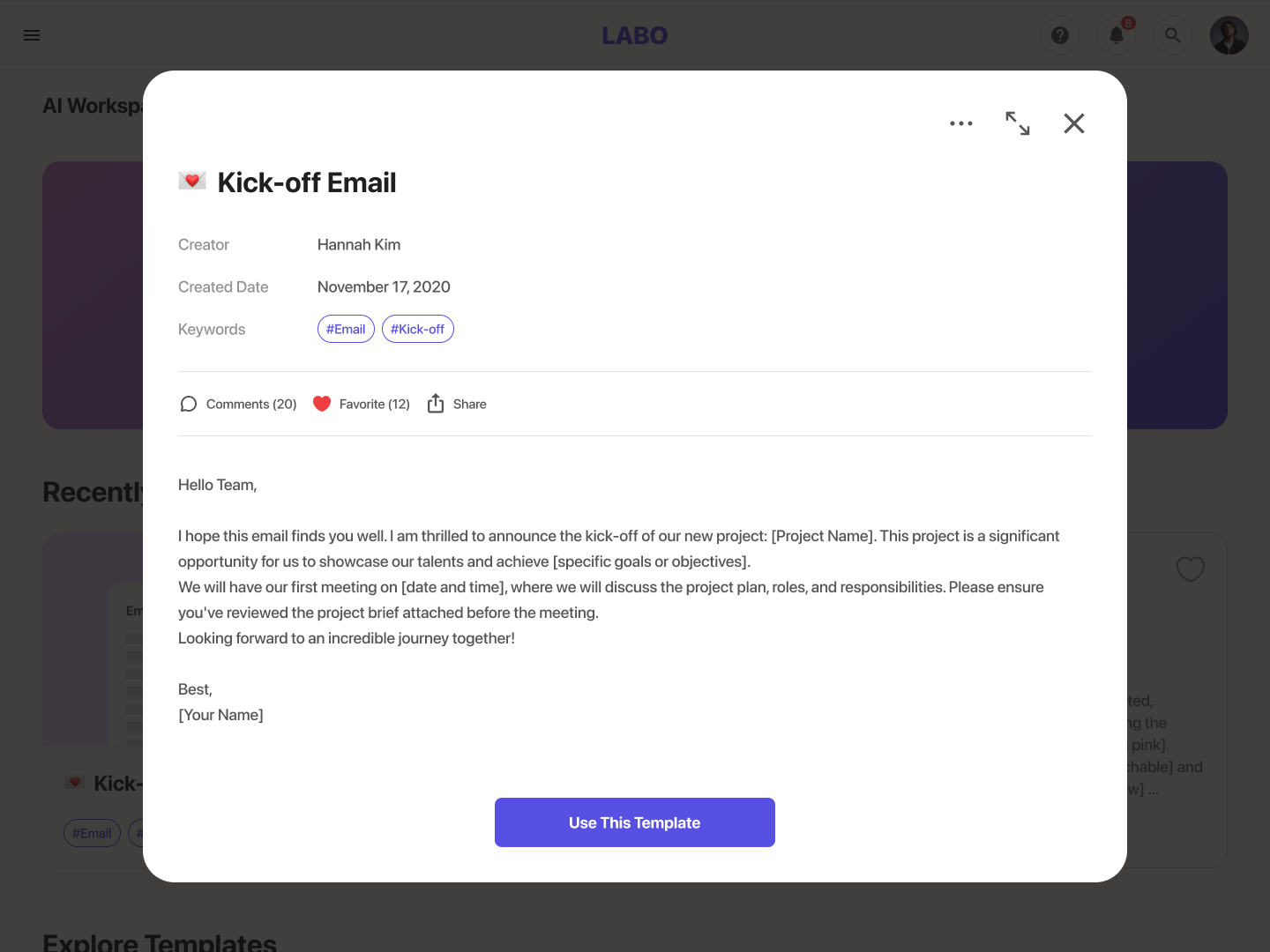
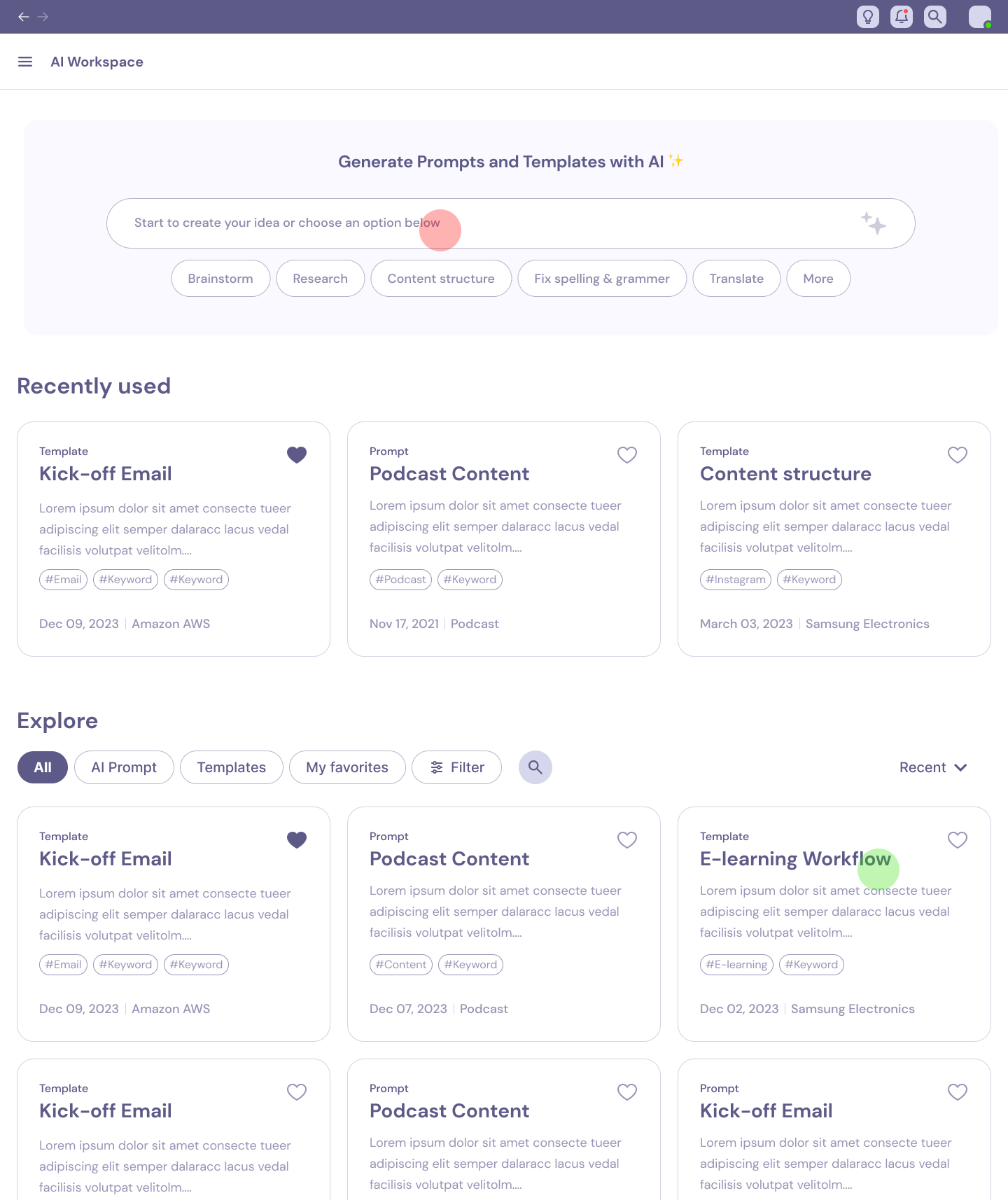
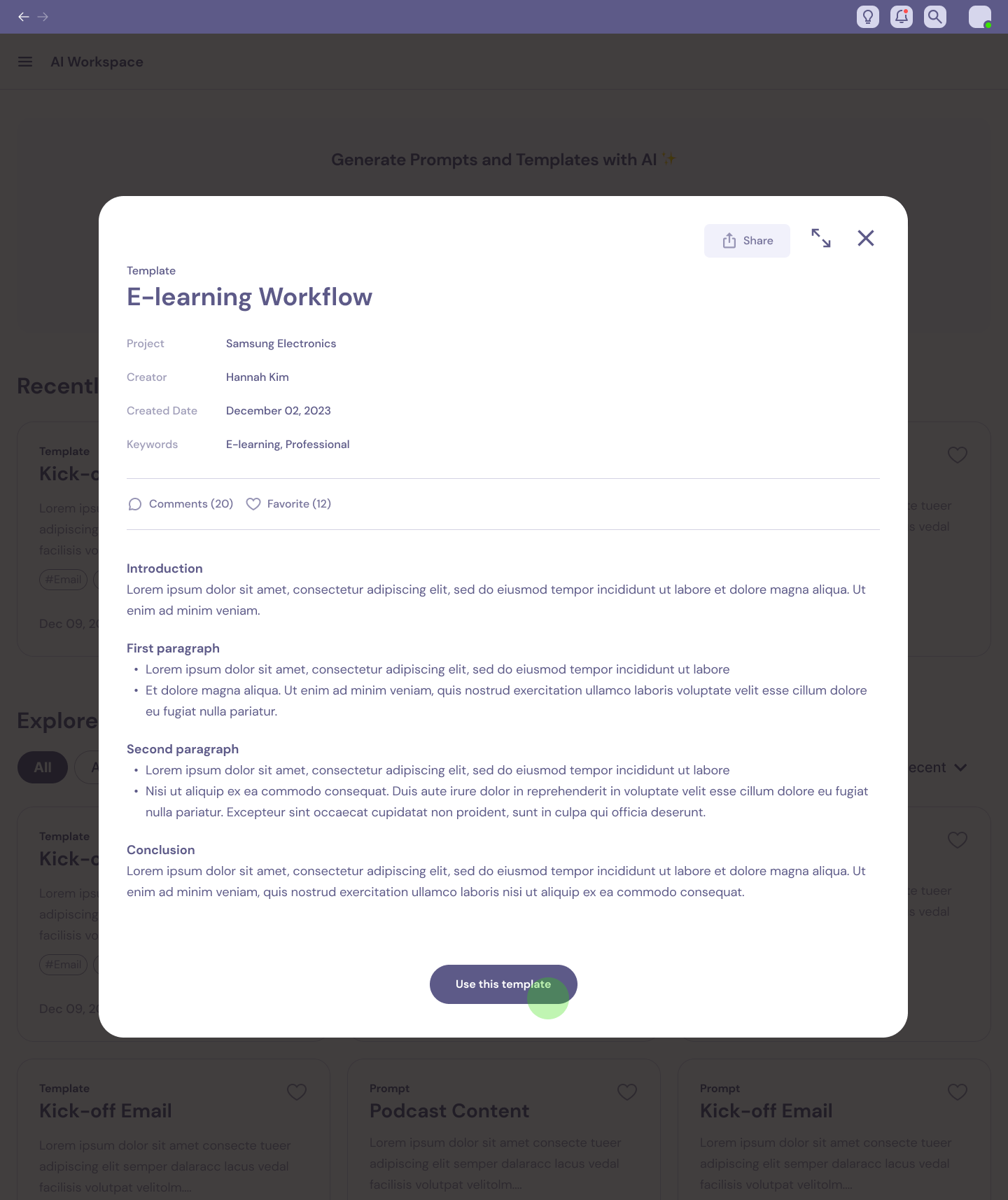
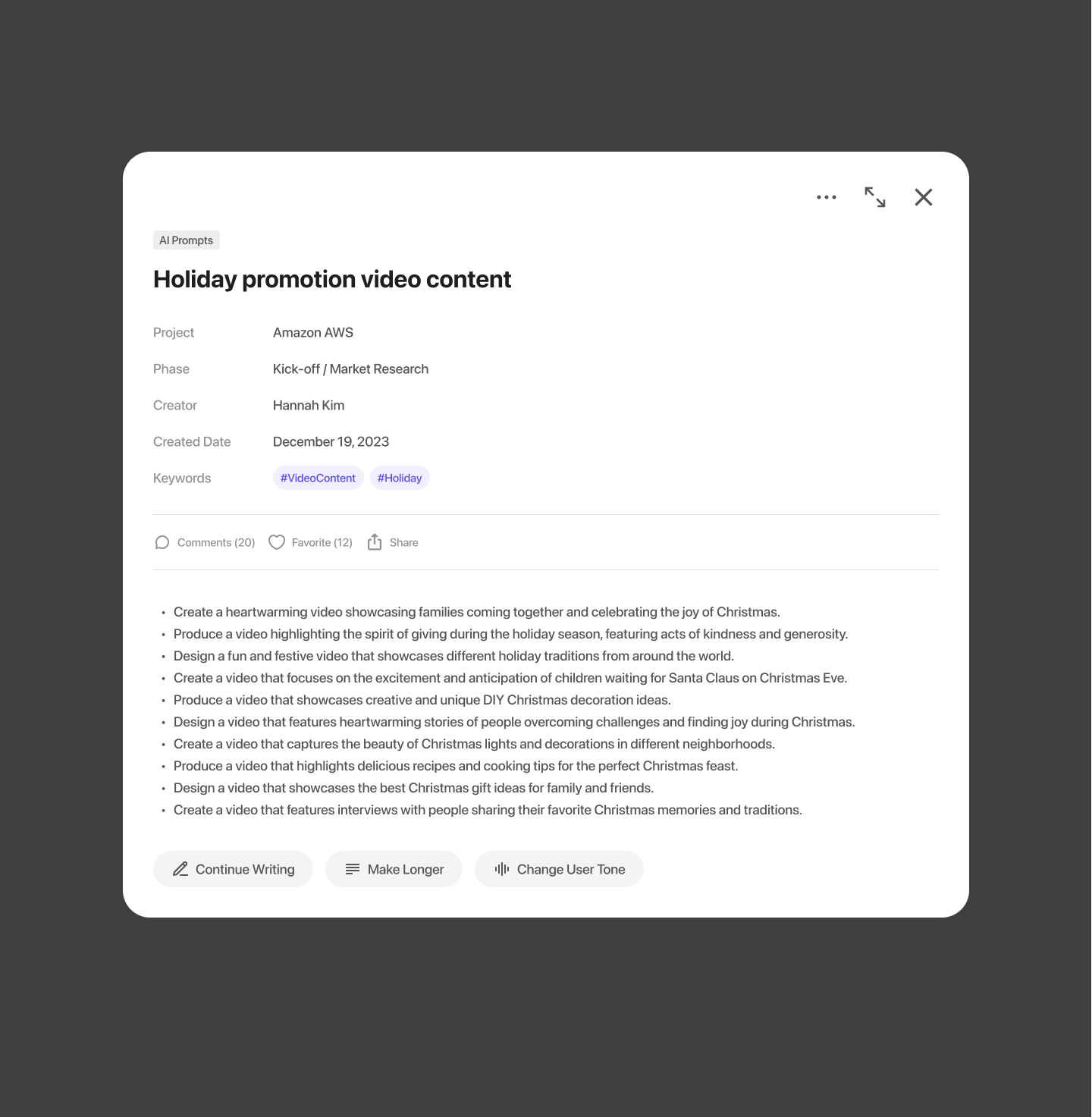
Turn useful AI prompts into reusable team knowledge.
One of the most interesting findings from our research was that employees wanted to use AI, but didn't always know how to prompt it effectively.
When someone found a prompt that worked, that knowledge usually stayed with that person.
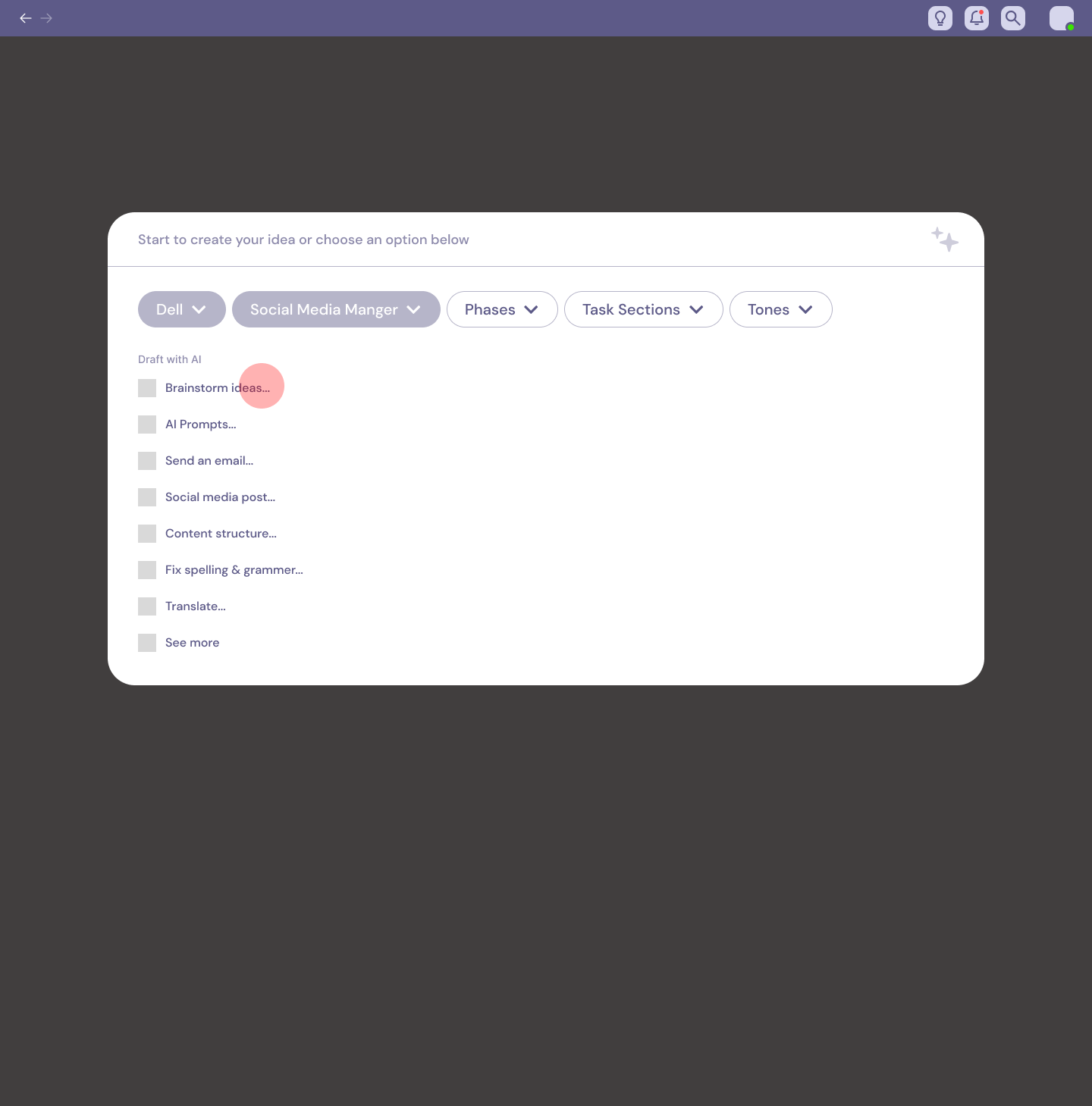
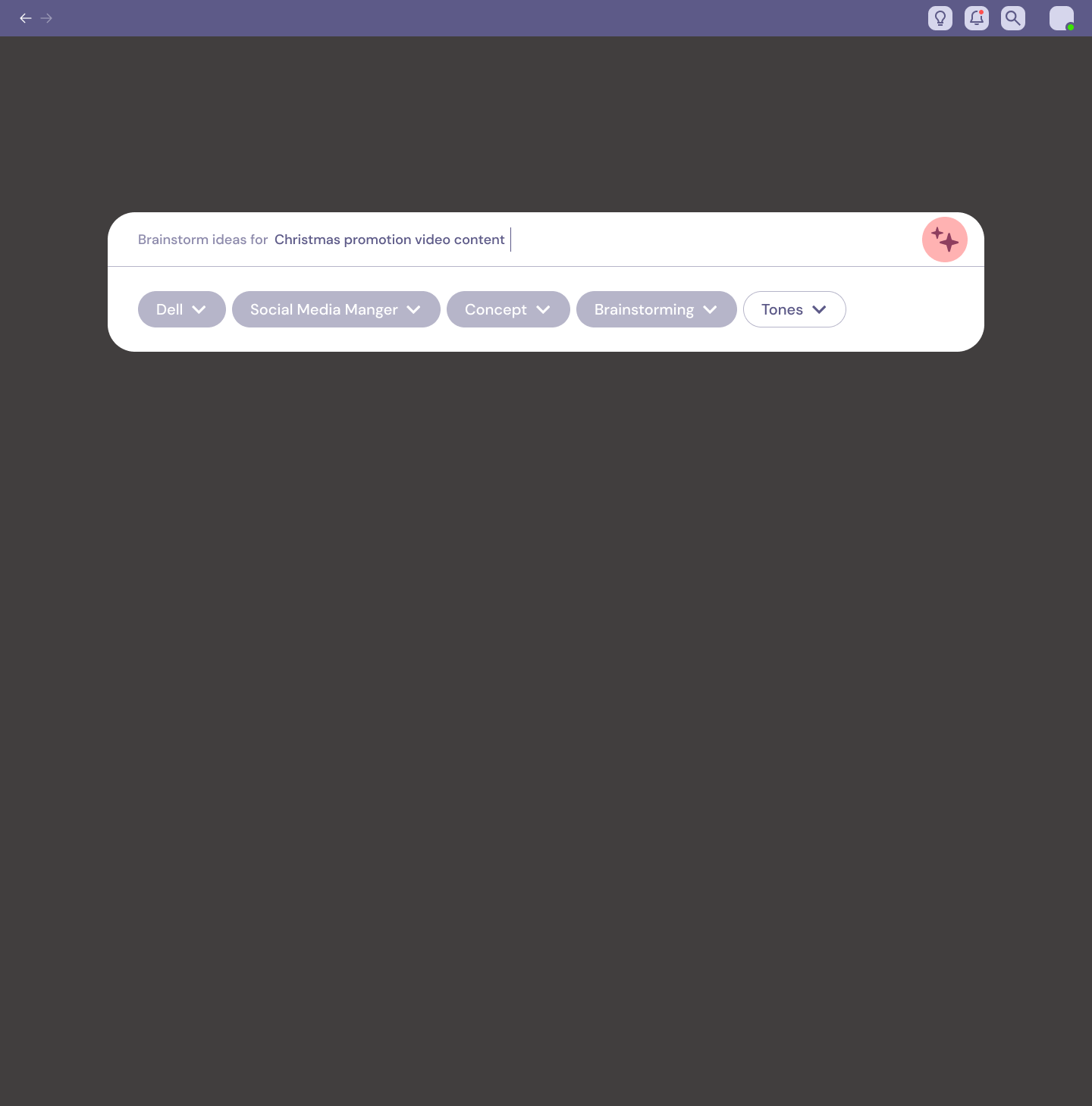
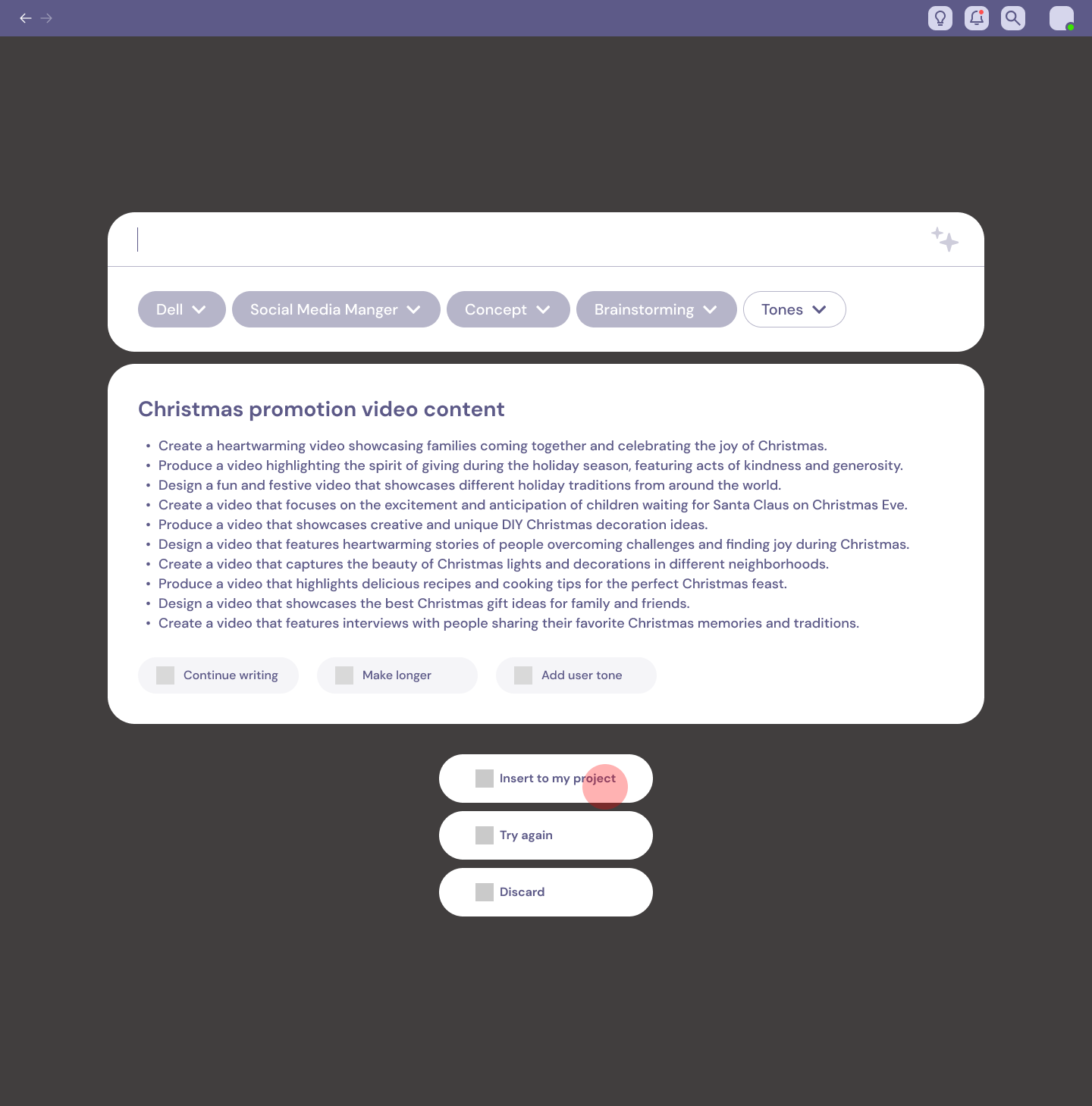
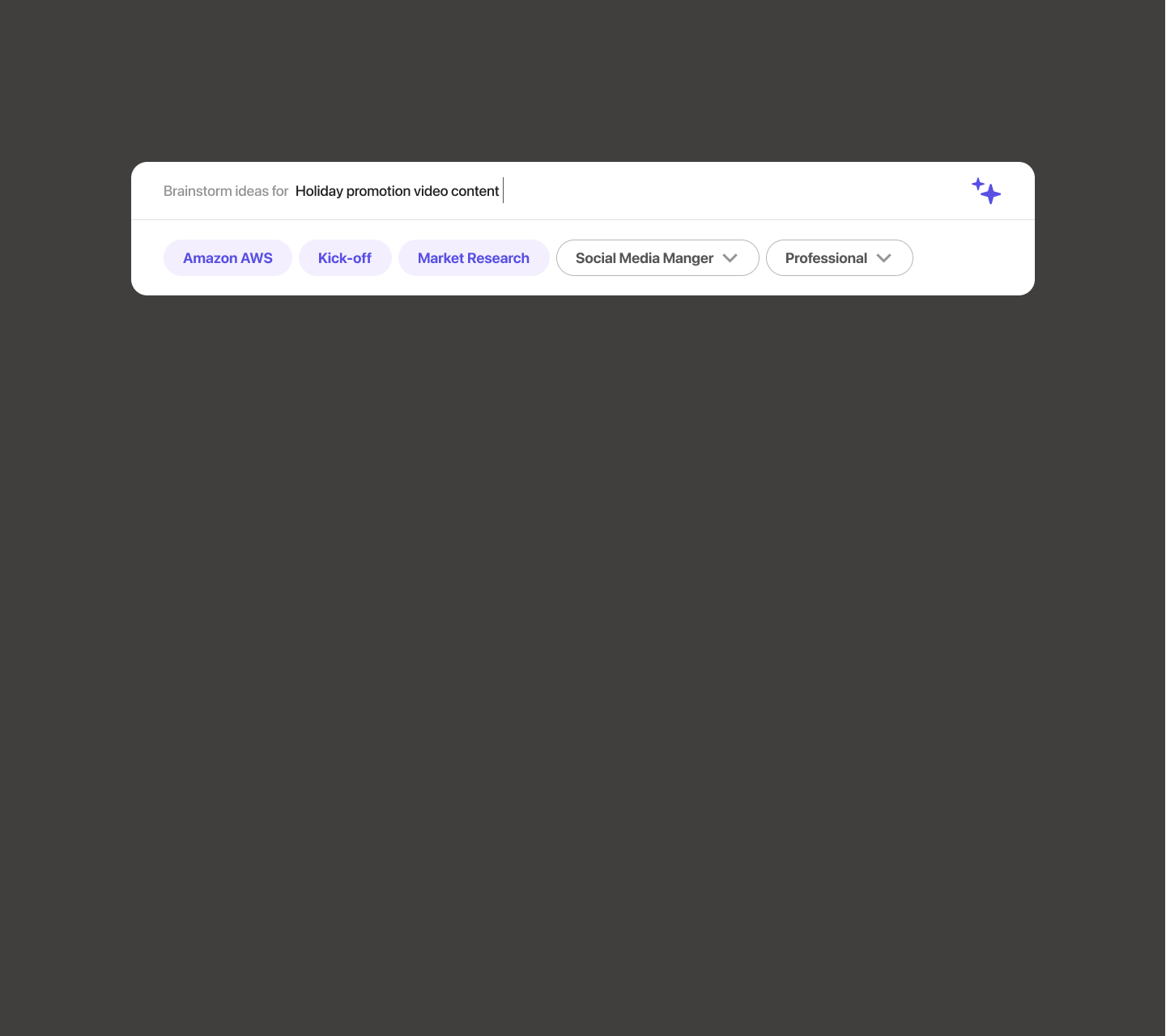
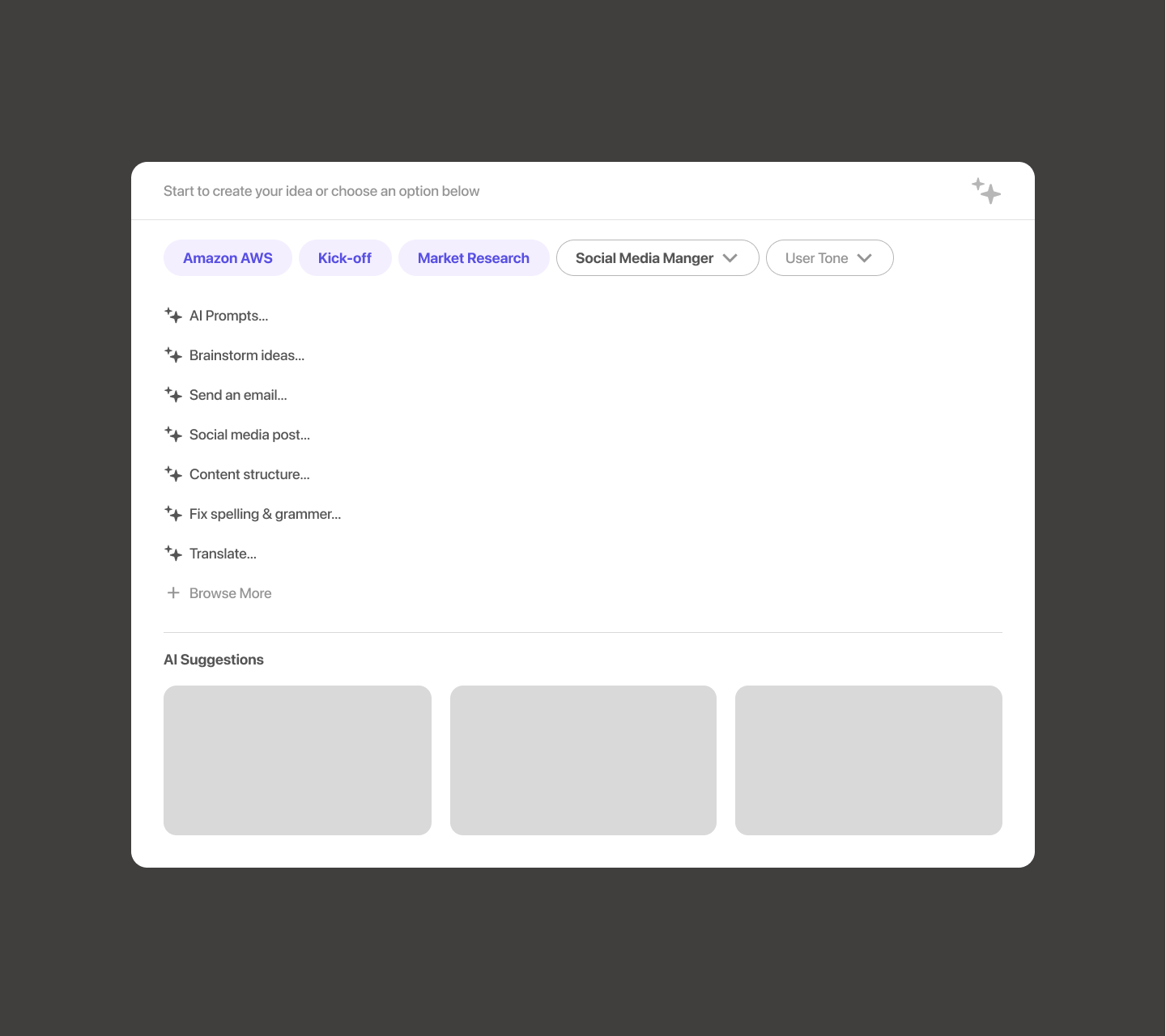
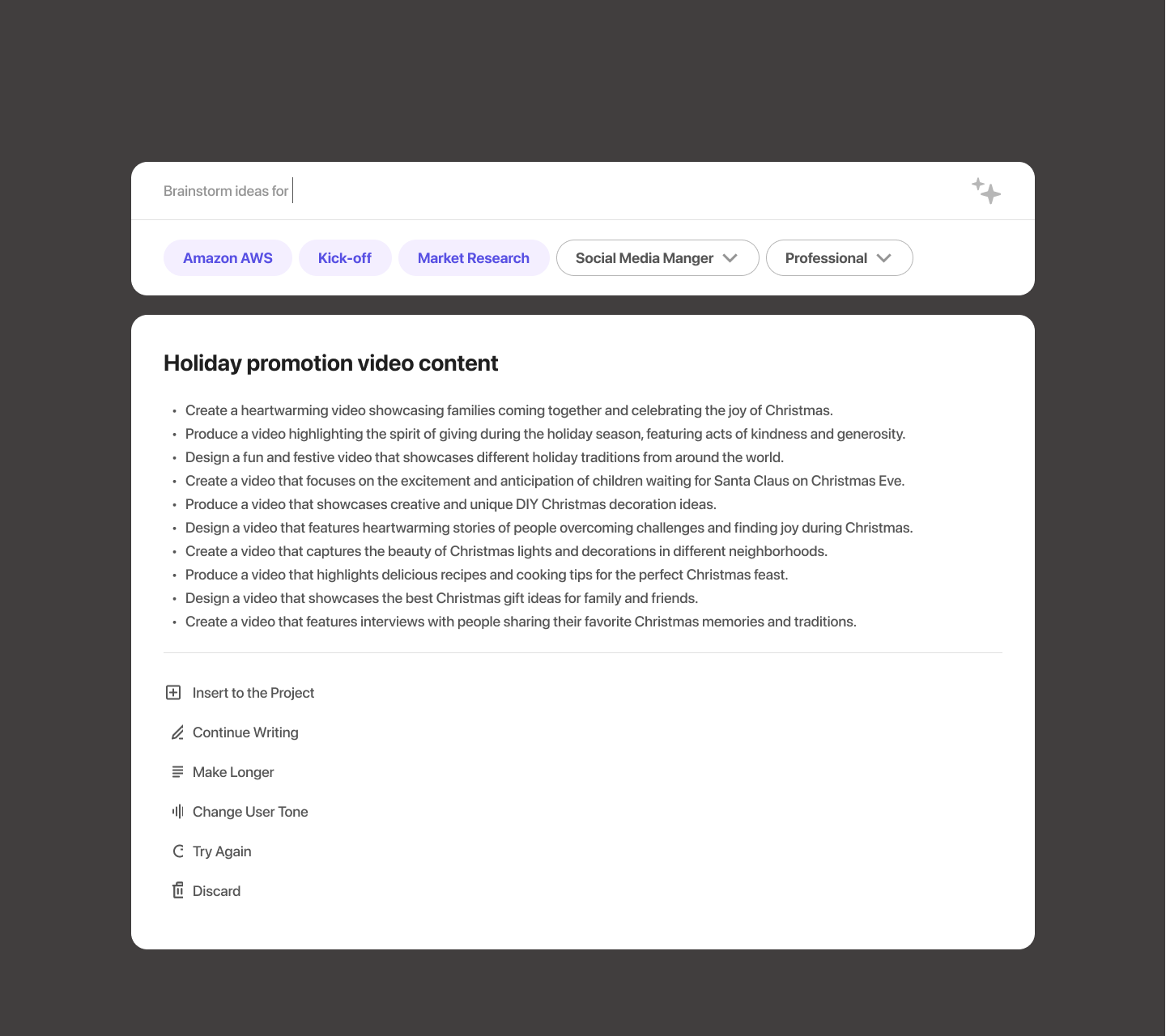
We designed an AI workspace where teams could discover, save, adapt, and reuse prompts for recurring work instead of beginning from a blank input every time.
Selecting a template could preconfigure things like:
Task, Role, Tone and Context
The employee could adapt it to the project and generate from there.





Before

After
04. Communication
Unified Communication and File Management
To centralize communication and improve file management, addressing one of MMG's key pain points of fragmented tools and inefficient file storage practices.

Before
After
Design and branding
A visual system that made a complex workspace feel clear.
We built the identity around a distinctive Labo mark, a focused purple palette, and readable type. The same foundations carried through to buttons and icons across the product.
Color system
Primary
#5850E3Light
#F4EFFFAccent
#DBEE66Ink
#1F1F1FCloud
#EEEEEETypography
Aa
DM SansRegular · Medium · Bold
Display / 40Work, all in one place.
Heading / 24Keep the team in sync.
Body / 16Find the context behind every project.
Components
Buttons
Clear actions for creating, copying, and moving through work.
Primary
Outlined
Text
Icons
Simple strokes stay legible at the same 20px size.
Design decisions
Testing changed how we organized the workspace.
We tested early concepts with employees from the agency and iterated on the areas that created the most confusion.
The dashboard became simpler and more focused on immediate work.
Project pages gained quicker access to assets after users struggled to navigate between project information.
But the strongest response was to reusable AI templates. Participants liked being able to build on prompts that already worked rather than figuring out how to prompt AI from scratch. The feature received the highest rating in our testing.
Result
One workspace, instead of another disconnected tool.
The final concept brought three previously fragmented layers together:
Manage the work
Projects, tasks, deadlines, and ownership.
Keep the context
Files, communication, links, and project history.
Reuse intelligence
AI prompts and templates that could become shared resources instead of disappearing after one use.
Reflection
Labo changed how I thought about AI inside products.
At the time, much of our exploration focused on helping people write better prompts.
But the more interesting lesson was about context.
People didn't necessarily need another blank AI interface. They needed AI to understand the work they were already doing, the project they were inside, and the knowledge their team had already created.
That idea has stayed with me as I've moved from designing AI concepts to building AI products in production that the best AI experiences often feel less like a separate tool and more like a natural part of the workflow around them.
View next